Where to set the Time to Close rule
Please follow the guide below for more details.
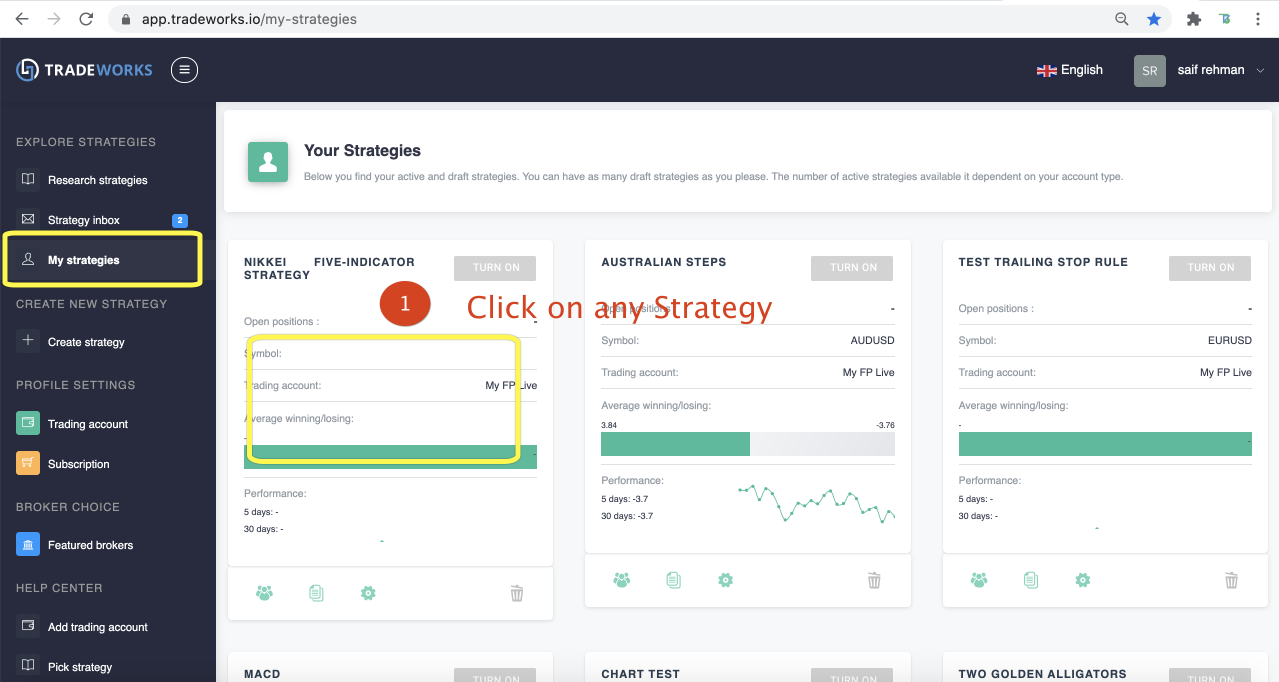
Tab "My Strategies" and click any trading robot strategy card.
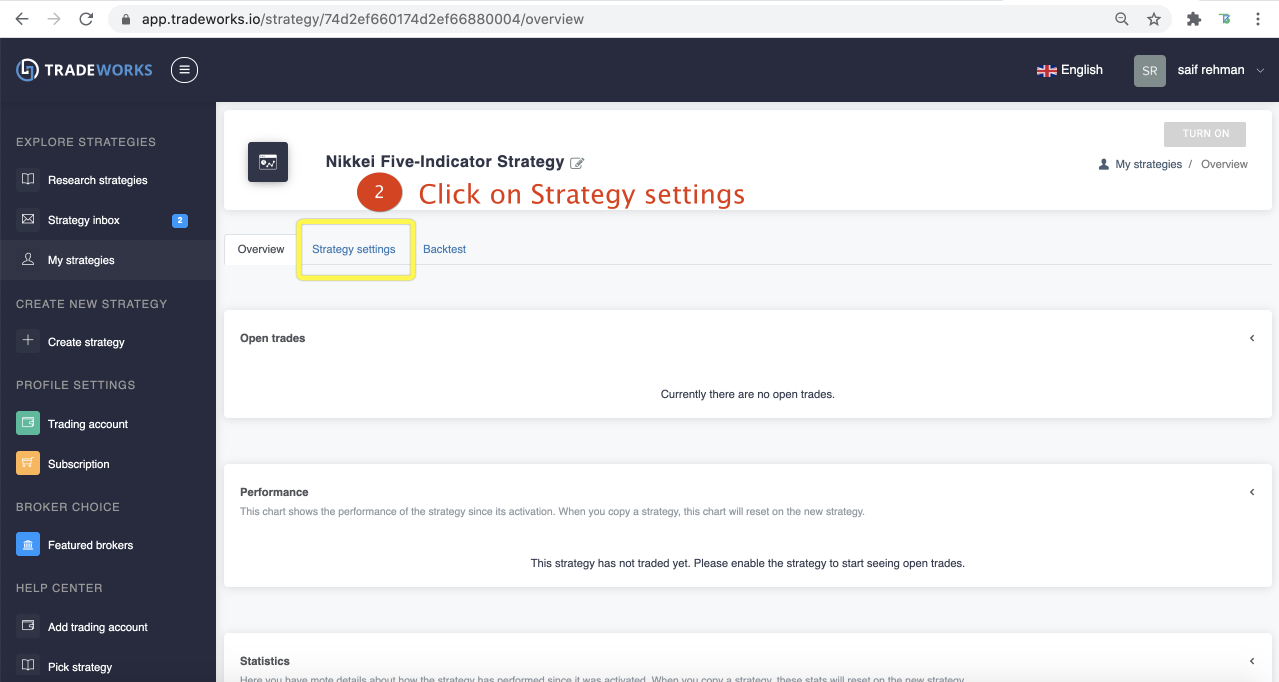
Choose the "Strategy Settings" tab.
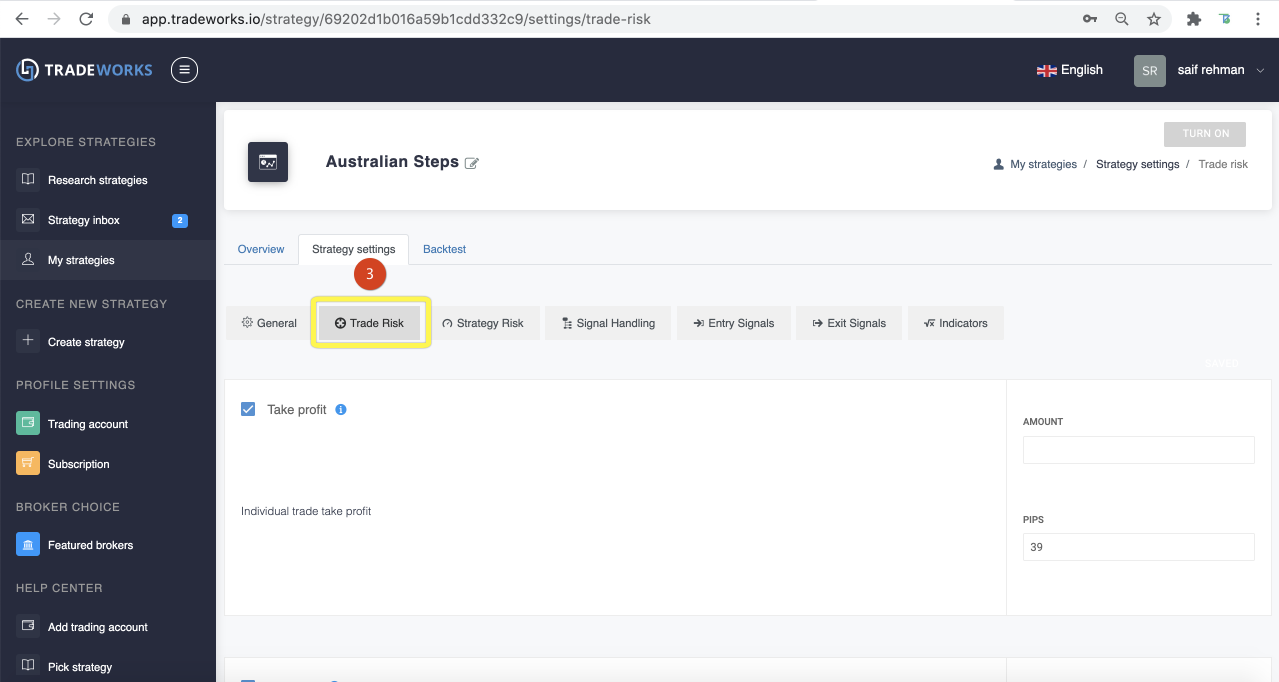
Click the "Trade Risk" tab.
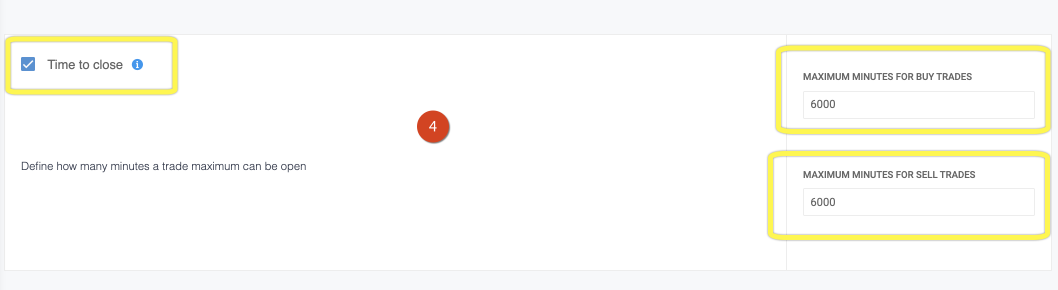
Scroll down to the "Time to close" section, and add the maximum minutes you would use for your long (buy) and short (sell) trades.
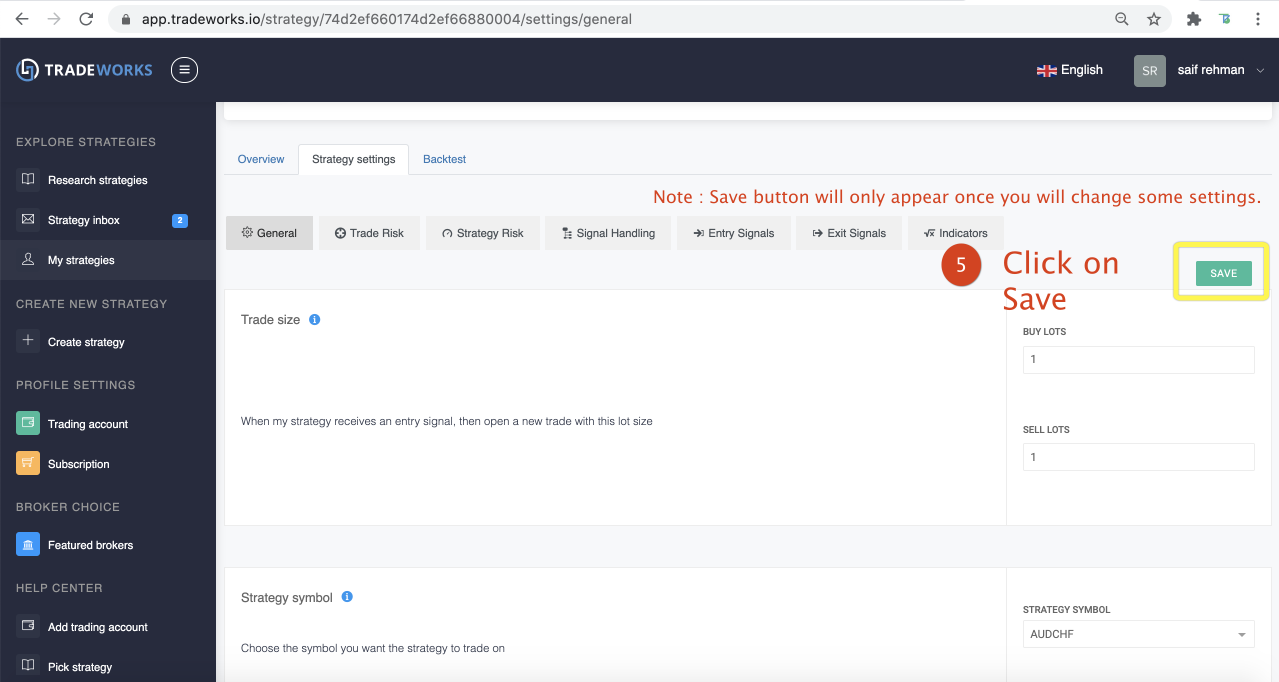
Remember to click "SAVE" before leaving the screen.